1. Two Addresses, Two Jobs
Every device on a network carries two different addresses at the same time, and the commonest mistake in this topic is treating them as alternatives. They are not. They exist together and they do different jobs.
- A MAC address identifies the physical device. It is built into the hardware and normally never changes.
- An IP address identifies the device's position on a network. It is assigned by the network and changes when the device moves to a different one.
The way to hold on to the difference: your MAC address is like a passport number
— it identifies you, permanently, wherever you go. Your IP address is like the
address of the building you are currently sitting in — it says where you are, and
it changes when you move. Take your laptop to a café and its MAC address is identical; its IP
address is completely different.
2. MAC Addresses
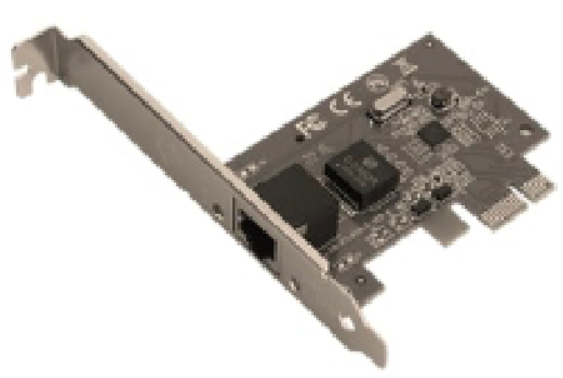
MAC stands for Media Access Control. The address is assigned by the manufacturer and stored in the Network Interface Card (NIC), which is why it is often called the physical address.
Format
A MAC address is 48 bits long, written as six pairs of hexadecimal digits separated by hyphens or colons.
00-1A-2B-3C-4D-5E
manufacturer code • device serial number
The two halves mean different things, and the syllabus expects you to know which is which:
- The first three pairs are the manufacturer code (sometimes called the Organisationally Unique Identifier). Every NIC made by that company begins with the same six digits.
- The last three pairs are the serial number of that individual device, assigned by the manufacturer.
Together those two halves guarantee that no two network cards in the world share an address. Hexadecimal is used for the same reason it is used everywhere else in this course — it expresses 48 bits in just 12 characters, and each hex digit maps to exactly four bits.
What it is used for
MAC addresses are used to deliver data within a single local network. A switch reads the destination MAC address on each frame and sends it only to that one device, rather than to everything on the network as a hub would.
Is a MAC address really permanent? It is fixed in hardware and does not change
as the device moves between networks — which is what the syllabus means by permanent.
Software can, however, make a device report a different one; this is called
MAC spoofing, and it is one reason a MAC address alone is not treated as proof
of identity.
3. IP Addresses
IP stands for Internet Protocol. An IP address identifies a device's location on a network so that data can be routed to it. Routers use IP addresses — not MAC addresses — to move packets between networks.
IPv4
An IPv4 address is 32 bits long, written as four denary numbers between 0 and 255, separated by full stops.
192.168.1.10
32 bits • four groups of 8 bits
Each of those four numbers is one byte, which is why the maximum is 255. Thirty-two bits gives $2^{32}$ addresses — about 4.3 billion. That sounded limitless in the 1980s and is not remotely enough now that most people carry several connected devices, which is the entire reason IPv6 exists.
IPv6
An IPv6 address is 128 bits long, written as eight groups of four hexadecimal digits, separated by colons.
2001:0db8:85a3:0000:0000:8a2e:0370:7334
128 bits • eight groups of 16 bits
128 bits gives $2^{128}$ addresses — a number large enough that running out is not a practical concern. Consecutive groups of zeros may be shortened to a double colon, so the address above can be written 2001:0db8:85a3::8a2e:0370:7334.
| Feature | IPv4 | IPv6 |
|---|
| Length | 32 bits | 128 bits |
| Written as | Four denary numbers, 0–255 | Eight groups of four hex digits |
| Separator | Full stops | Colons |
| Example | 192.168.1.10 | 2001:0db8:85a3::8a2e:0370:7334 |
| Number available | About 4.3 billion | $2^{128}$ — effectively unlimited |
4. Public and Private IP Addresses
Not every IP address can be reached from the internet, and the distinction matters.
| Public IP address | Private IP address |
|---|
| Unique | Unique across the whole internet | Unique only within its own network |
| Assigned by | The Internet Service Provider (ISP) | The router on the local network |
| Reachable from | Anywhere on the internet | Only from inside that local network |
| Re-used? | No — only one device may hold it | Yes — millions of homes use 192.168.1.1 |
A home network usually has one public IP address, belonging to the router, and gives every device inside a private one. All the traffic from those devices reaches the internet through that single public address, and the router keeps track of which reply belongs to which device.
Why this arrangement exists: it is one of the main reasons the world has not
already run out of IPv4 addresses. A household of ten connected devices consumes one public
address, not ten. Private addresses can be re-used endlessly precisely because they are never
routed across the internet.
5. Static and Dynamic IP Addresses
This is a separate question from public and private — it is about whether the address changes.
| Static IP address | Dynamic IP address |
|---|
| Changes? | Never — permanently assigned | Yes — a new one may be issued each time the device connects |
| Assigned by | Set manually by an administrator | Issued automatically from a pool by a DHCP server |
| Advantages | Always found at the same address; needed for hosting a website, a mail server or remote access | Efficient — addresses are only used while a device is connected; no manual configuration |
| Disadvantages | Must be managed manually; ISPs usually charge extra; easier to target repeatedly | The address may change, so it cannot be relied on to find the device |
DHCP stands for Dynamic Host Configuration Protocol. It is what allows a device to join a network and be given a working address automatically, with nobody typing anything in.
Choosing in a scenario question. If the device must be found by others
— a web server, a mail server, a CCTV system accessed from outside — it needs a
static address, because a changing one could not be located. If the device only
needs to reach out — a phone, a laptop, a games console — a
dynamic address is fine and is what it will normally be given.
6. MAC and IP Compared
| Feature | MAC address | IP address |
|---|
| Identifies | The physical device | The device's position on a network |
| Assigned by | The manufacturer, in the NIC | The network (router or ISP) |
| Changes? | No — fixed to the hardware | Yes — changes with the network |
| Length | 48 bits | 32 bits (IPv4) or 128 bits (IPv6) |
| Written as | Six pairs of hex digits | Four denary numbers, or eight hex groups |
| Used by | Switches, within one local network | Routers, between networks |
⚠️ Exam Tips:
- A device has both addresses at once. Never write that a device uses one instead of the other.
- Give the format when asked to describe an address: MAC is 48 bits as six pairs of hex digits; IPv4 is 32 bits as four denary numbers; IPv6 is 128 bits as eight groups of four hex digits.
- For a MAC address, say what the two halves are — manufacturer code then device serial number.
- Keep the two questions apart: public/private is about whether it can be reached from the internet; static/dynamic is about whether it changes. An address is one of each.
- The reason for IPv6 is that IPv4's 4.3 billion addresses have run out. Say the number.